A portrait of your pet is only as good as the photo you start with. The good news: you do not need a professional camera. With a phone and a few simple tricks you can take a photo that is perfect for a pet portrait. In this article you will learn what to look for, and which photos you had better not use.
Why the photo matters so much
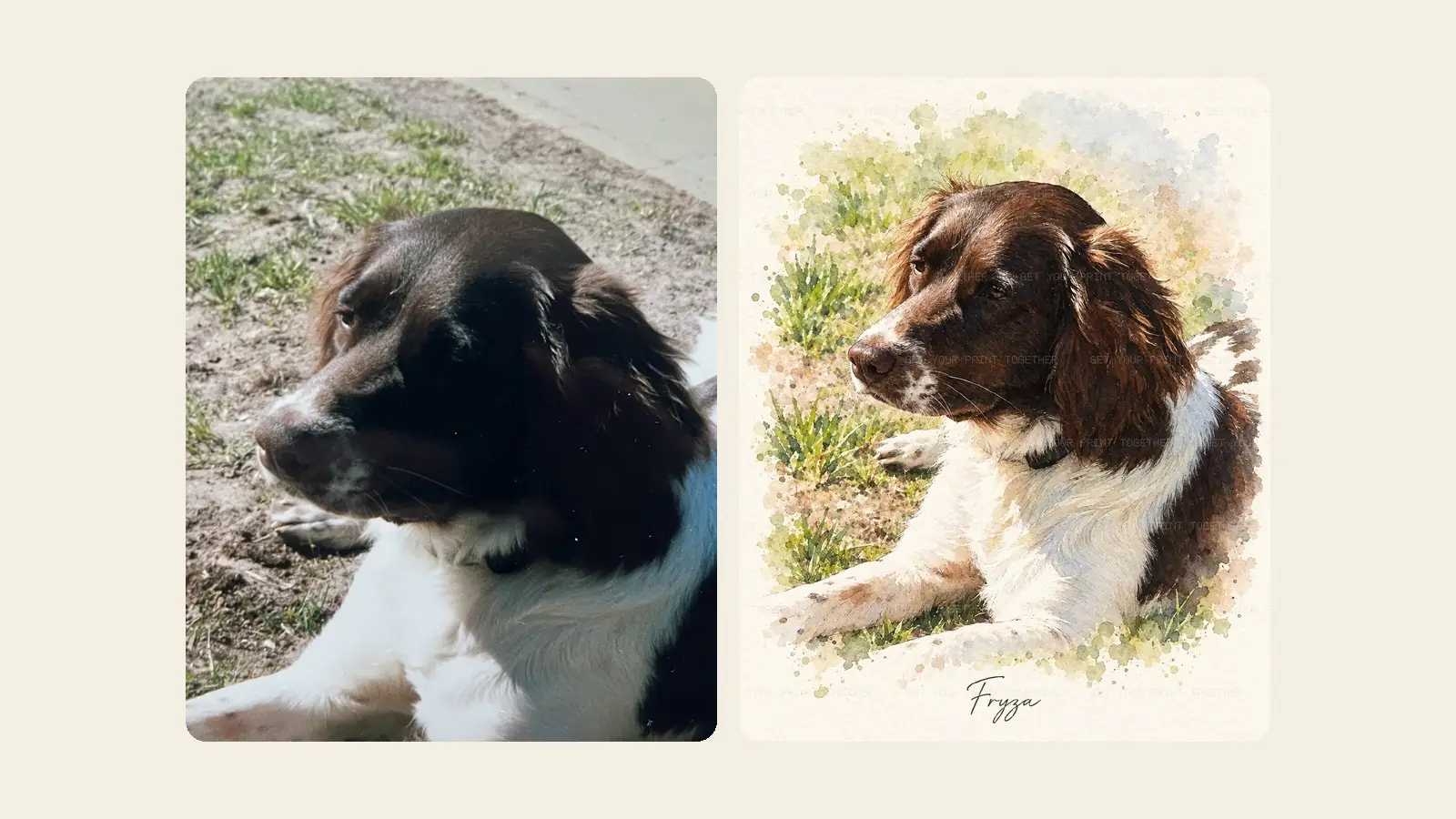
Whether a portrait is painted by an artist or created digitally, the maker can only work with what is visible in the photo. The shape of the head, the markings in the coat, the colour of the eyes: the more clearly they show in the photo, the more the portrait will look like your pet. A blurry or dark photo often leads to a portrait that is "roughly" right, but not quite your dog or cat.
7 tips for the perfect photo
1. Shoot in daylight
Soft daylight is the most beautiful light for pet photos. Place your pet near a window, or shoot outside on a cloudy day or in the shade. Avoid the flash: it causes red or glowing eyes and harsh shadows.
2. Make sure the eyes are sharp
The eyes make the portrait. Tap your phone screen on your pet's eyes so the camera focuses there. If your pet is looking to the side, focus on the eye closest to the camera.
3. Get down to eye level
Photos taken from above make an animal look smaller and distort the head. Crouch down or lie on the floor so you look your dog or cat straight in the eye.
4. Show the whole face
Make sure the head is not half hidden behind a cushion, toy or your hand. A slightly turned pose is fine, as long as both eyes and the muzzle are visible.
5. Keep the background calm
A calm background makes it easier to recognise your pet. The background is usually replaced in a portrait, but a busy one makes it harder to see the edges of the fur.
6. Catch their attention
A squeaky toy, a soft whistle or a treat just above the camera gives you pricked ears and an alert look. Take a series of photos in a row and pick the best one afterwards.
7. Use the original photo
Send the photo straight from your photo gallery, not a screenshot or a version forwarded through a messaging app. Those are often compressed and lose detail.
These photos work less well
- Dark evening photos with lots of noise or a yellow glow from lamps.
- Photos taken from far away, where your pet is only a small part of the picture.
- Motion-blurred photos of a dog running or playing.
- Photos with a filter that changes the colours of the coat.
Only have an older or less-than-perfect photo, for example of a pet who is no longer with you? Just give it a try. As long as the face is recognisable, it often still works. Read more in our article on keepsakes for a pet who has passed away.
Which files can you use?
At Get Your Print Together you can upload a JPG, PNG or WebP photo of up to 32 MB, so the large photos taken by new phones are fine too. After uploading you choose a style and receive a free preview by email within minutes. Not quite right yet? Ask for a new version with a short note, for example "his ears are darker".
From photo to portrait on the wall
Happy with the preview? Then choose a poster on Premium Matte paper in 30 × 40, 40 × 50 or 50 × 70 cm, or a high-resolution digital download to print yourself. Curious about the different styles and prices? Read our article on a custom pet portrait from a photo or check the frequently asked questions.